Attribute fields — manage POS cart attributes with a metaobject
Shop metafield lists pos_cart_attr.keys and pos_cart_attr.item_keys are the deprecated setup, and they still work. The steps are on Shop metafields.
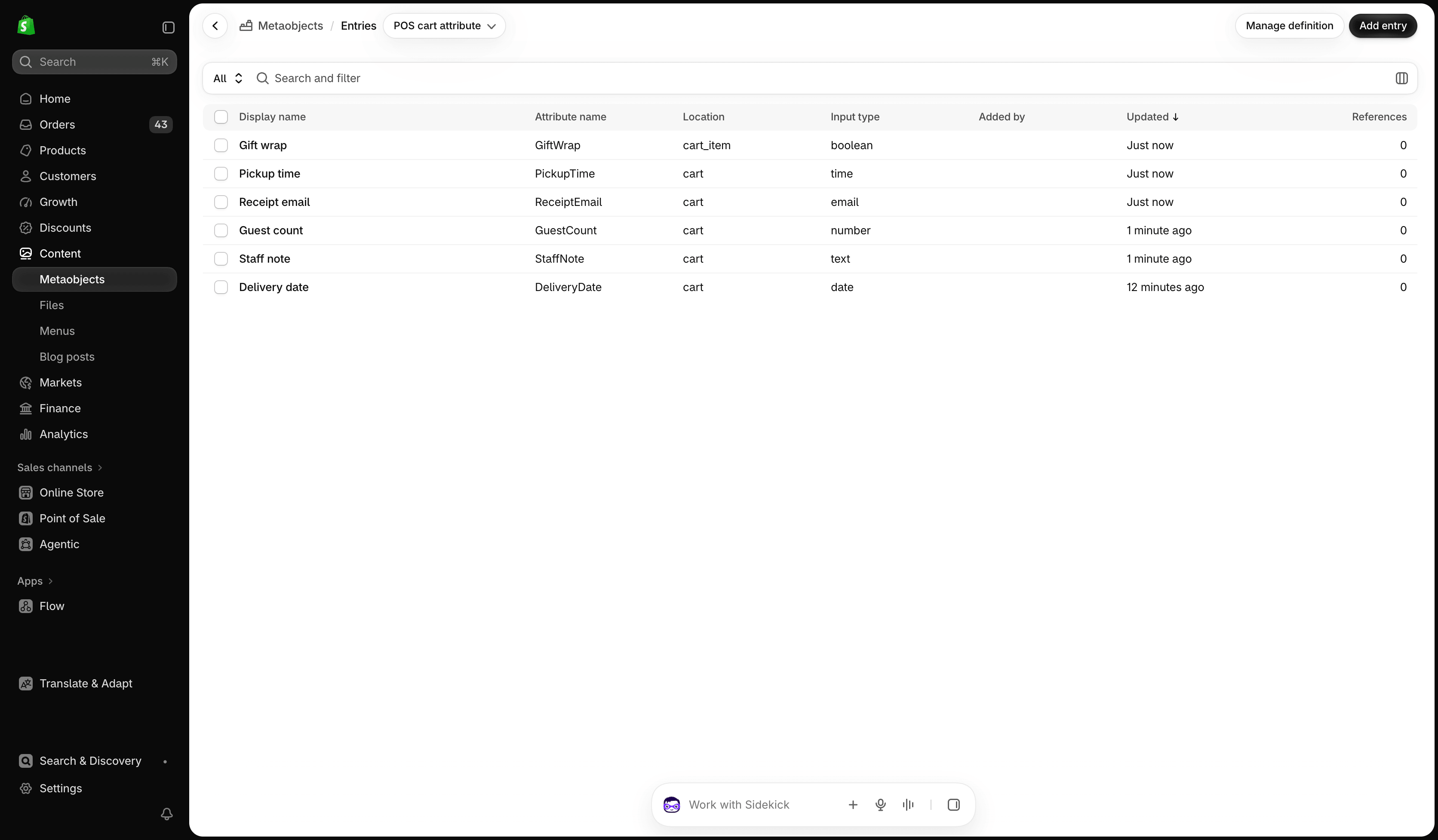
Each POS cart attribute entry is one field on the POS form. The cart tile and the line-item action read these entries from Shopify admin. No app redeploy is needed after you add or edit an entry. A key that exists only in a shop metafield list is a plain text field. An entry whose Attribute name matches that key replaces the text field with the entry’s label and input type.
Open the definition
Section titled “Open the definition”In Shopify admin, go to Content → Metaobjects → POS cart attribute.
The definition is created when the app is installed. If you do not see it, open the app from Shopify Admin → Apps and accept the permission to view metaobjects, then reload admin.
Add a field
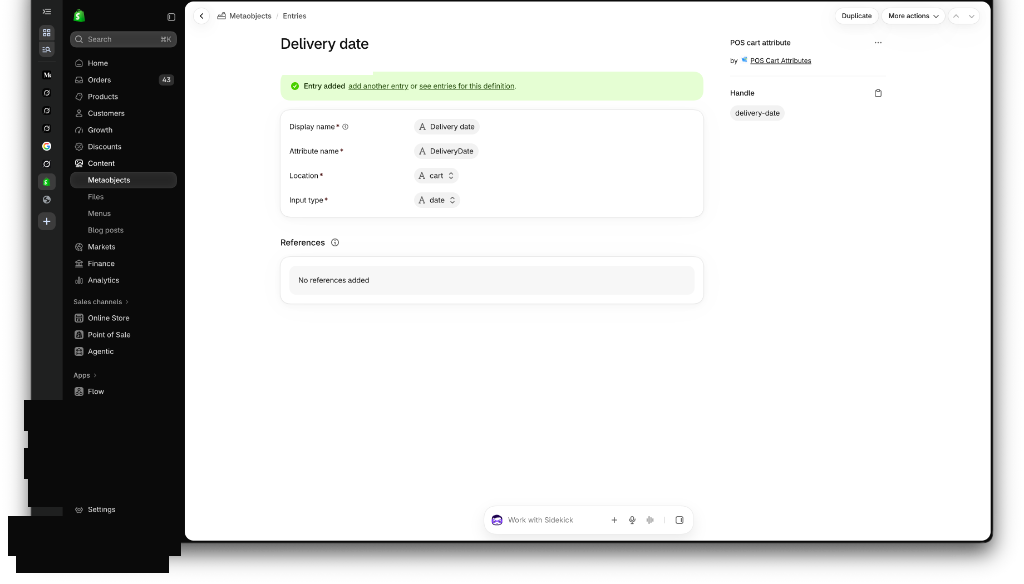
Section titled “Add a field”Choose Add entry. Each entry has four fields:
| Field | What staff see | Example |
|---|---|---|
| Display name | The label on the POS input | Delivery date |
| Attribute name | The key stored on the cart or the line item, and on the order | DeliveryDate |
| Location | cart for the smart-grid tile, or cart_item for the line-item action |
cart |
| Input type | Which control POS renders | date |
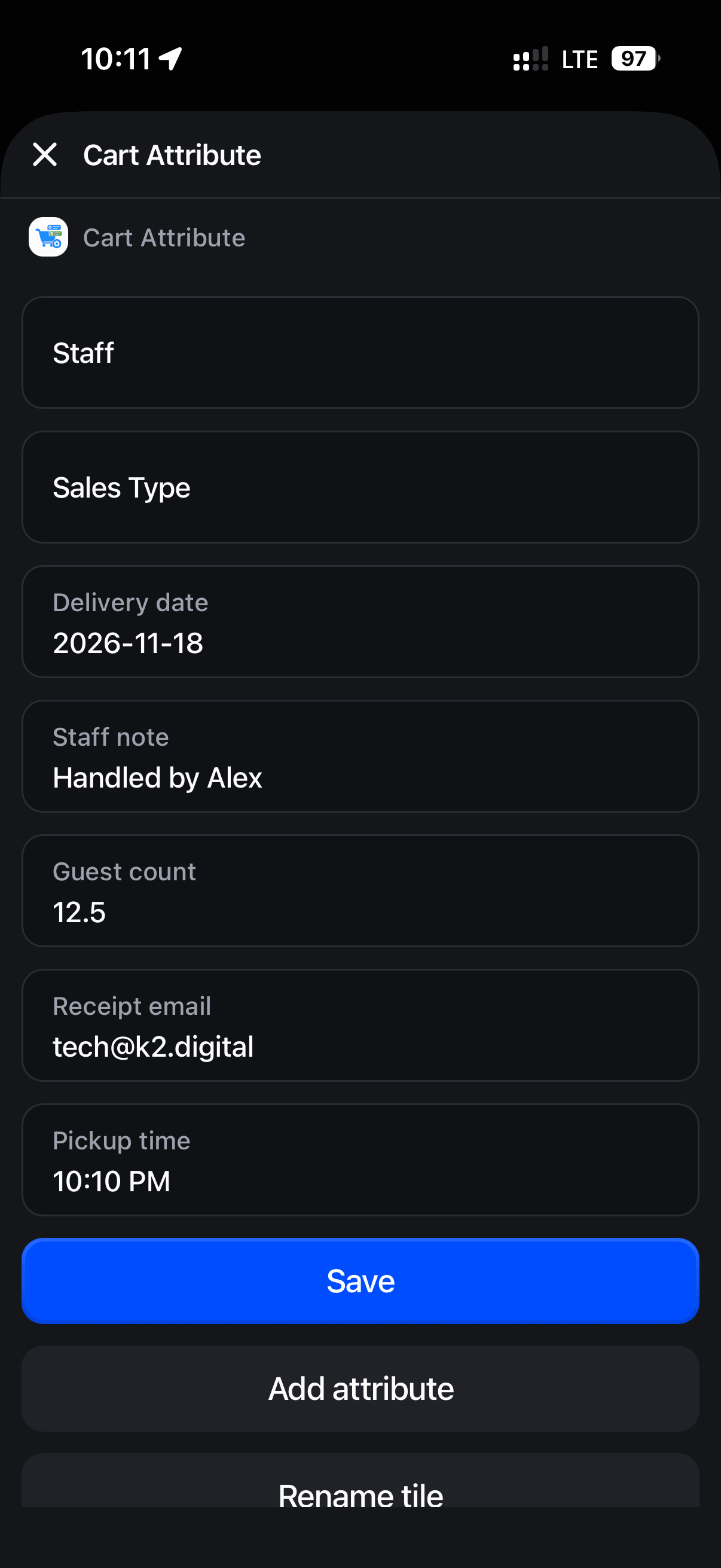
The display name is the label only. POS saves the value under the attribute name. A date labeled Delivery date with attribute name DeliveryDate is stored as DeliveryDate = 2026-11-18.
Input types
Section titled “Input types”Every saved value is text, including dates, numbers, and switches.
| Input type | POS control | Example stored value |
|---|---|---|
text |
Text field | Handled by Alex |
number |
Number field | 12.5 |
email |
Email field | alex@example.com |
date |
Date field | 2026-11-18 |
time |
Time field | 14:30:00 |
boolean |
Switch | true or false |
An unknown input type renders as a text field. A switch that is off is stored as the text false.
Cart and line item
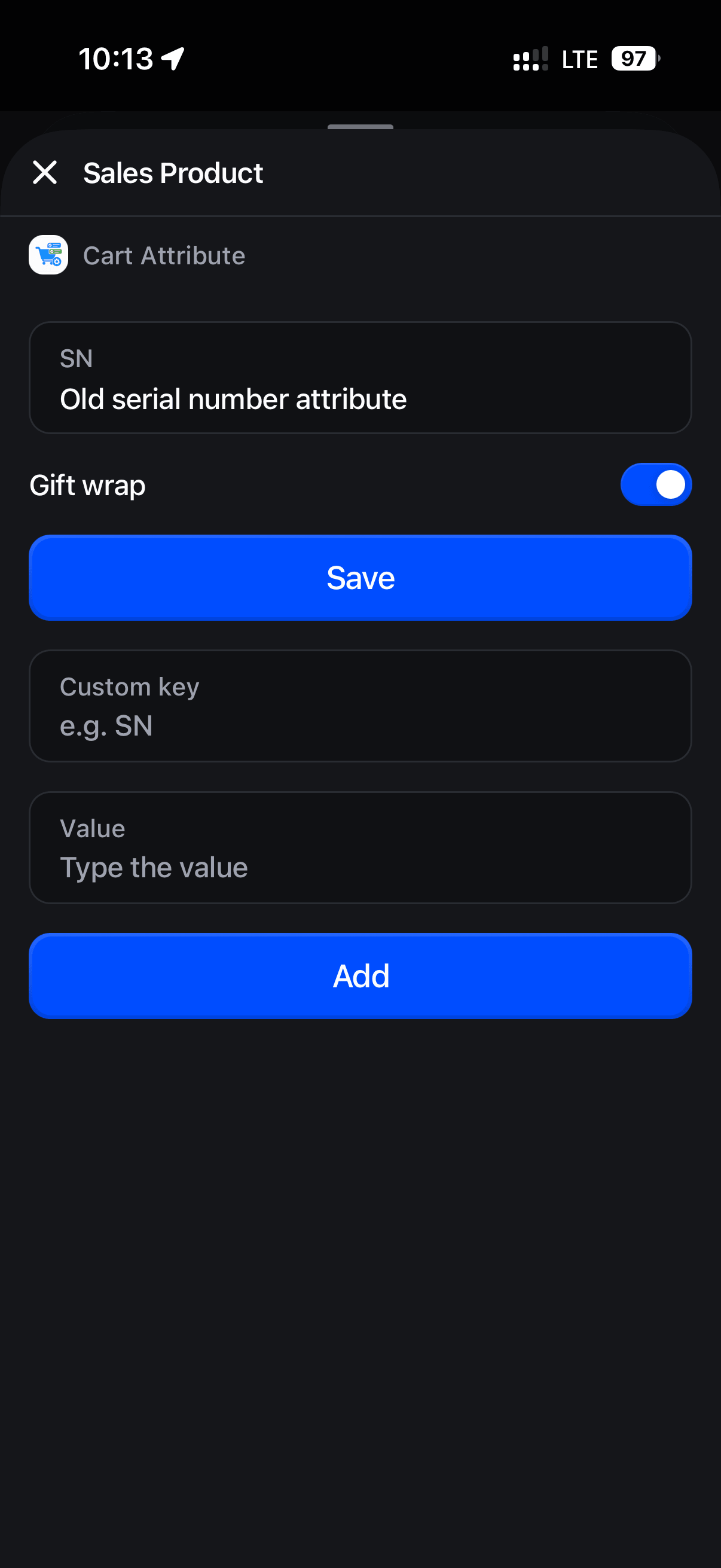
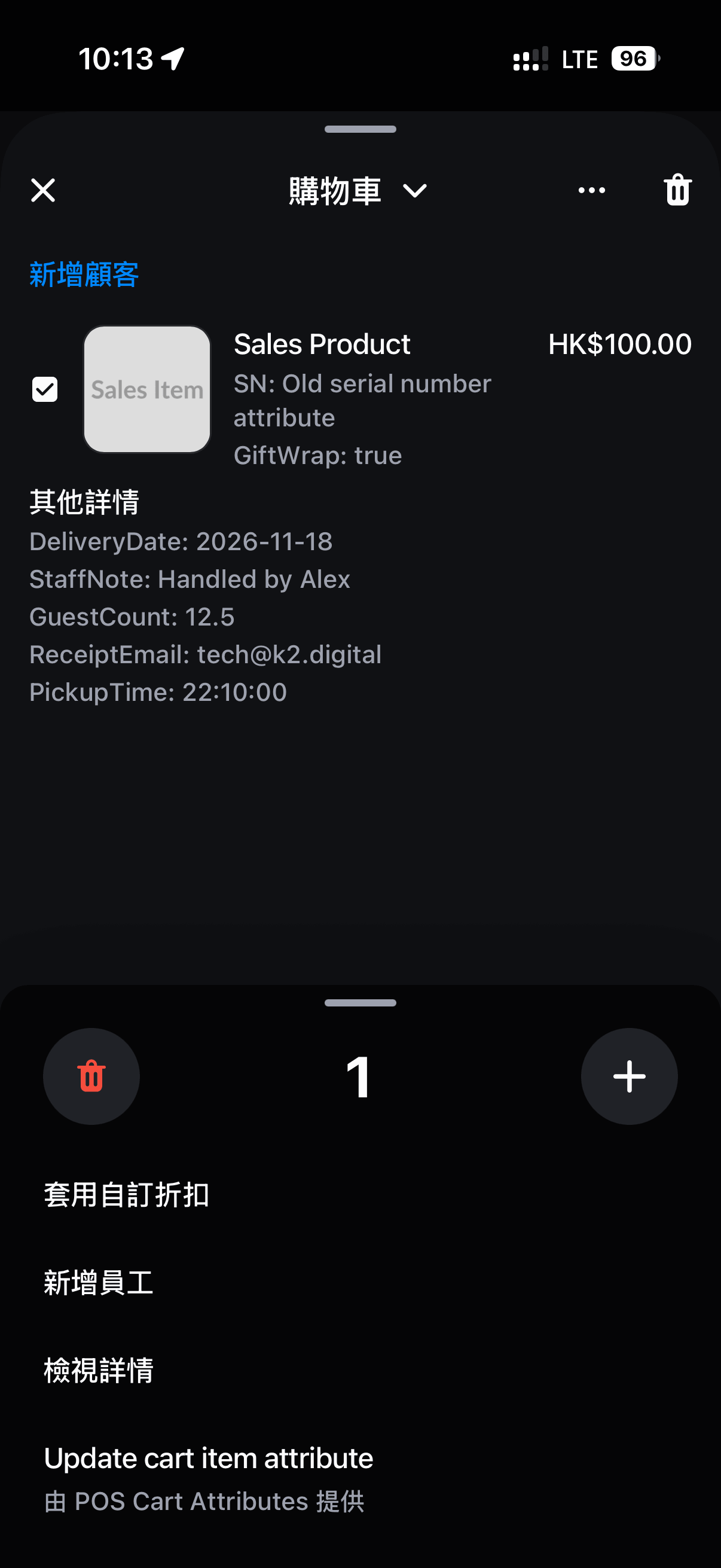
Section titled “Cart and line item”cart entries appear together on the Cart Attribute tile. cart_item entries appear together on Update cart item attribute. A field does not show on both screens.
Same name as a Shop metafield key
Section titled “Same name as a Shop metafield key”If DeliveryDate is also a row in pos_cart_attr.keys, the cart form shows one field, not two. The metaobject sets the label and the input type. The attribute name stays DeliveryDate, so a value saved earlier still fills that field.
A cart_item entry does not change a cart metafield key of the same name. Those are different places on the order.
After you save
Section titled “After you save”Quit and reopen the POS app, then open the tile or the line item. Configured fields are on the form immediately. Save writes them. Add attribute is for a one-off key, and that key is always plain text.
A field cannot be required. Checkout does not open this form, so an empty field does not block the sale.